A tour of the DJ portal, on a computer and on your phone
What your DJs and crew see: their next three events, confirming a booking, the run sheet, Show Mode for the night, recaps, meetings, money and their own Soundcheck.
See who is free, assign a role and pay, and let each DJ confirm from their own portal. Your team sees their schedule, their prep and their pay, and nothing they should not.
Assign a DJ to an event · 1:23 · Read the transcript
On each booking, the availability panel shows who is free that day, who is on hold, and who is booked or off.
Pick a role such as Lead DJ, Host or Support DJ, then a flat fee or an hourly rate with included hours and overtime.
The DJ gets a text and an email, taps Confirm, checks the date, venue, role and pay, and ticks a box. You can also confirm for them.
The portal shows the next three events, when to leave, the venue and the client contact. The run sheet and Show Mode carry the client's plan to the booth.
Bookings, meetings and time off sit on one calendar, and laavi warns you before anyone is double-booked.
Invite DJs and office staff, then control what every role sees with switches that save as you flip them.
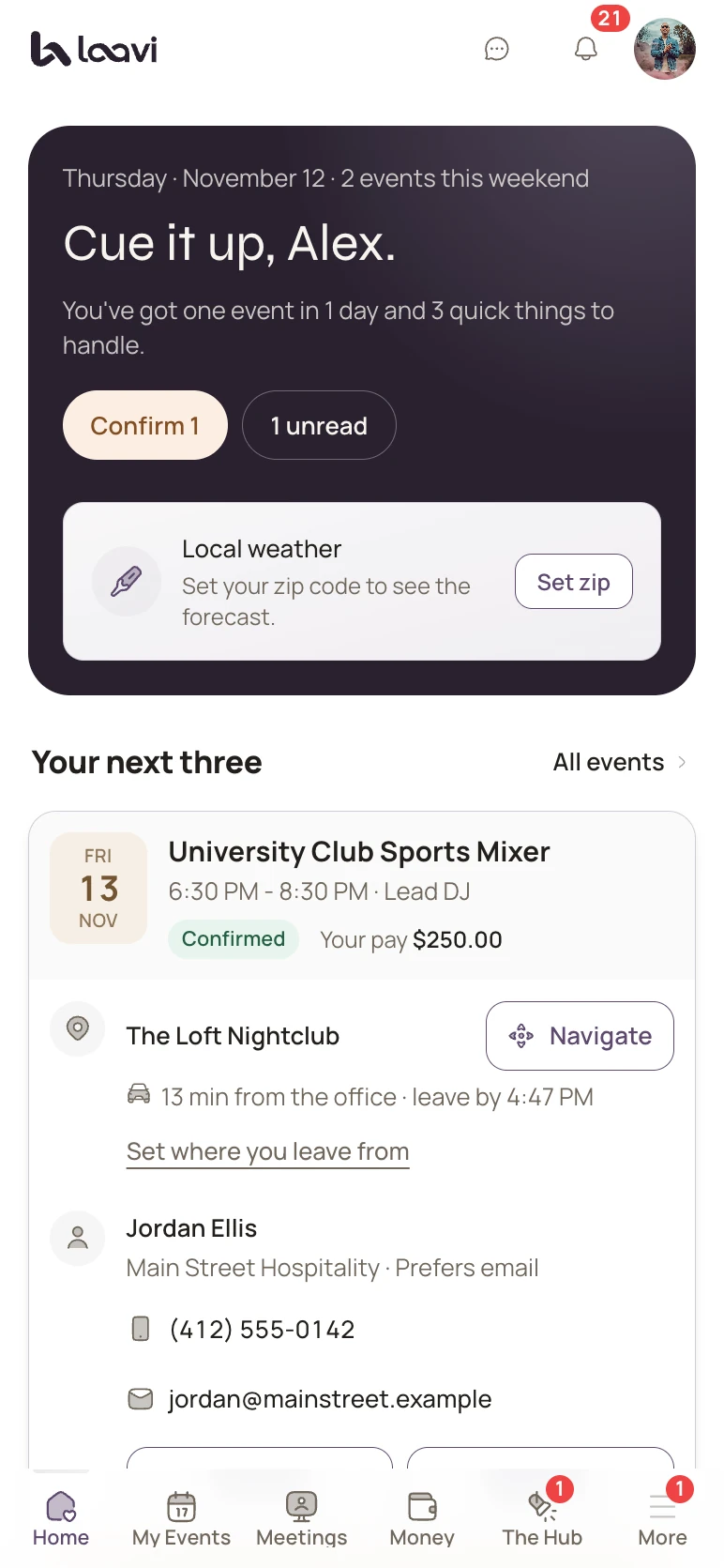
The real product, shown with demo names.
What your DJs and crew see: their next three events, confirming a booking, the run sheet, Show Mode for the night, recaps, meetings, money and their own Soundcheck.
Invite DJs and office staff, pick their type and brand roles, and control what every role sees with switches that save as you flip them.
Cancel anytime. Your plan starts the day you go live.